Servers
How to Change Servers in ROB RUN
Move to a friend’s State, understand the surrender prompt, and confirm you landed on the right server.
Sources checked
Before you surrender
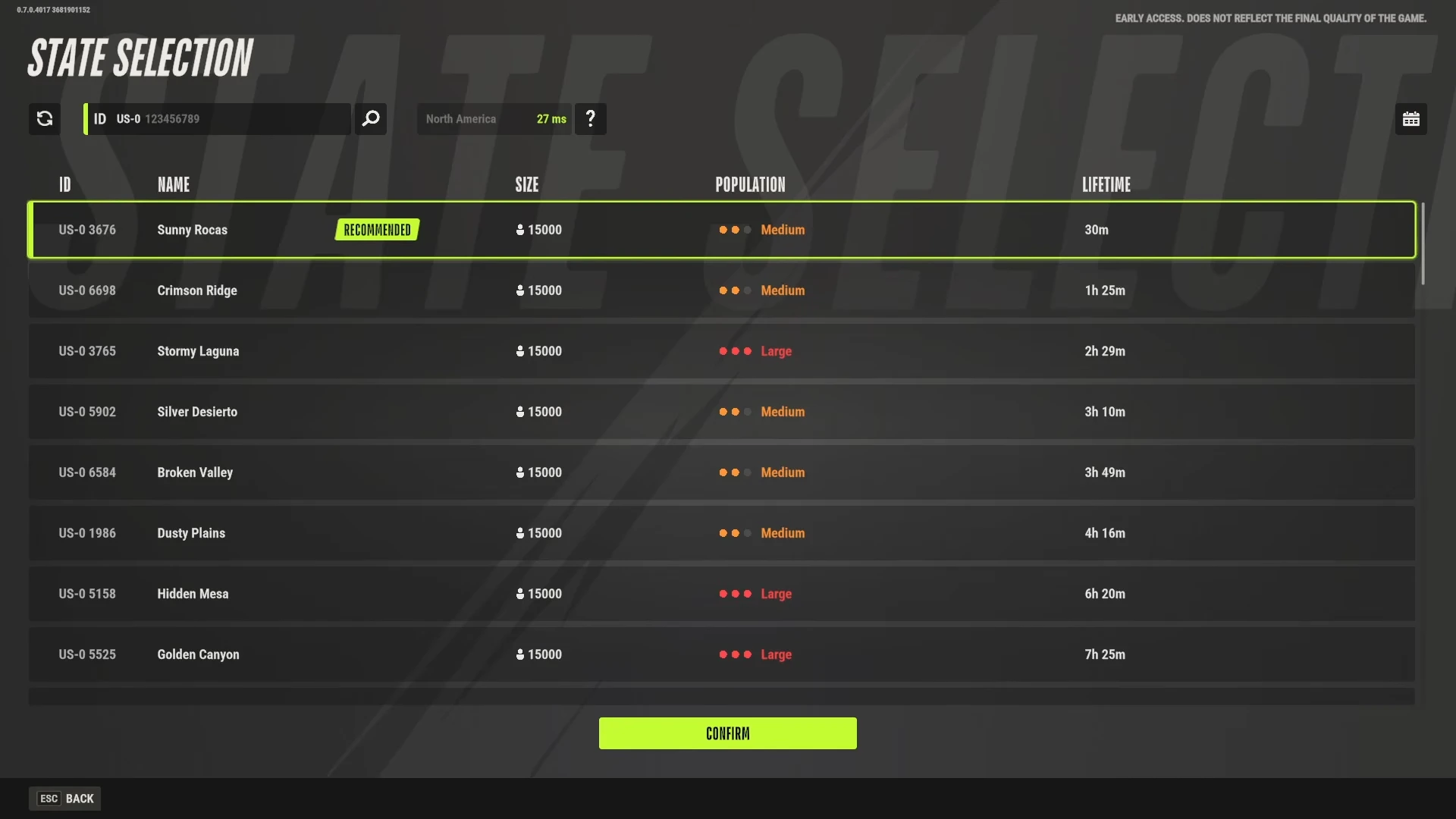
Ask your friend for the State ID shown on their map. A State is a specific server. If you both already have the same ID, send a party invite without switching. Check your own State ID first.
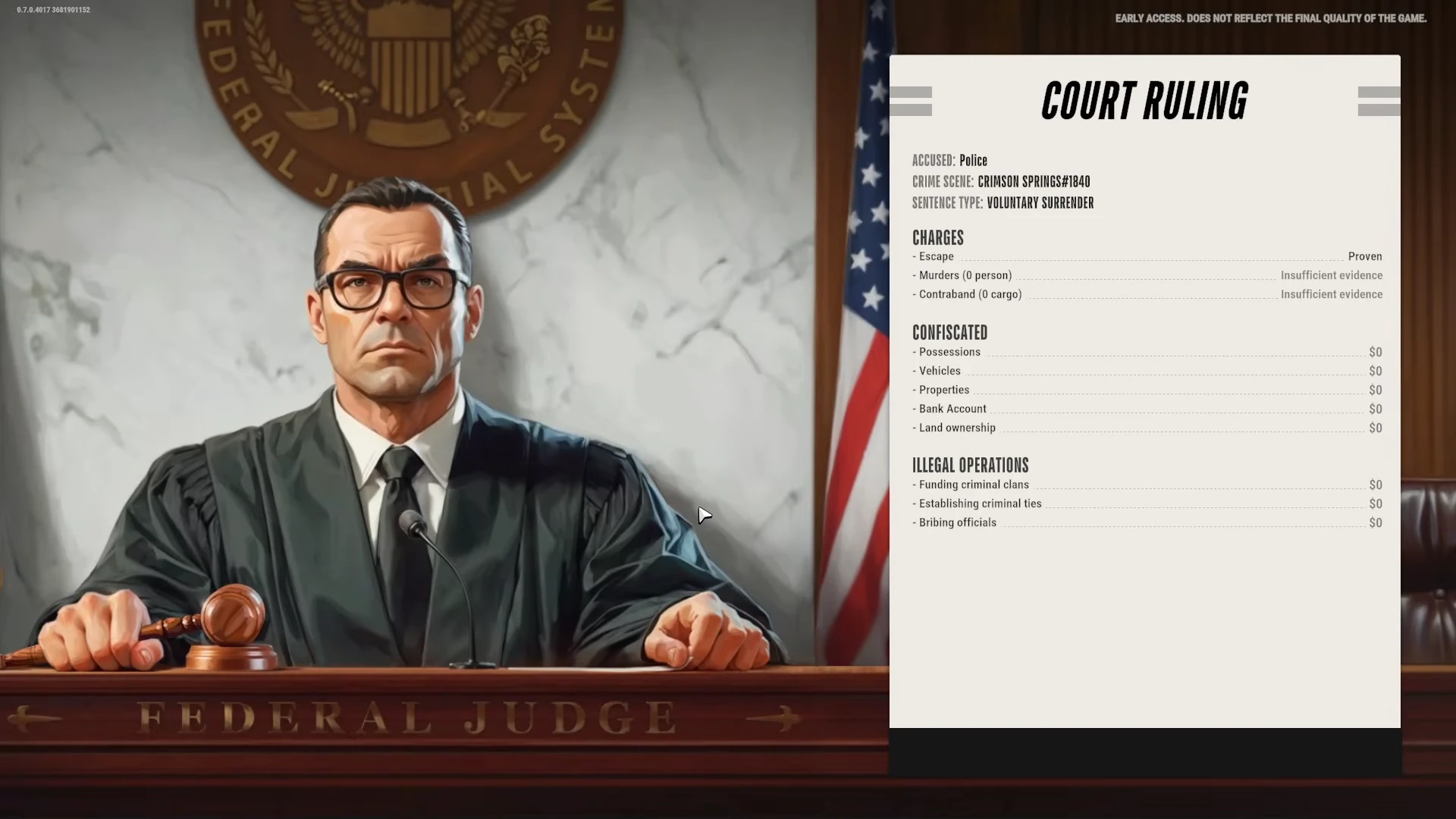
During the October playtest, Kefir also warned of property confiscation on server changes. That announcement applied to the playtest, so use your current ruling screen to decide whether to continue. Official Discord announcements
1. Open the map and select Prison
Open the world map and select the location named Prison. In the location panel, find Surrender to Feds. Read any confirmation the game presents before accepting. The expected next screen is the ruling, followed by the prison area. Kefir’s transfer instructions · Prison footage at 0:34
2. Use the prison exit
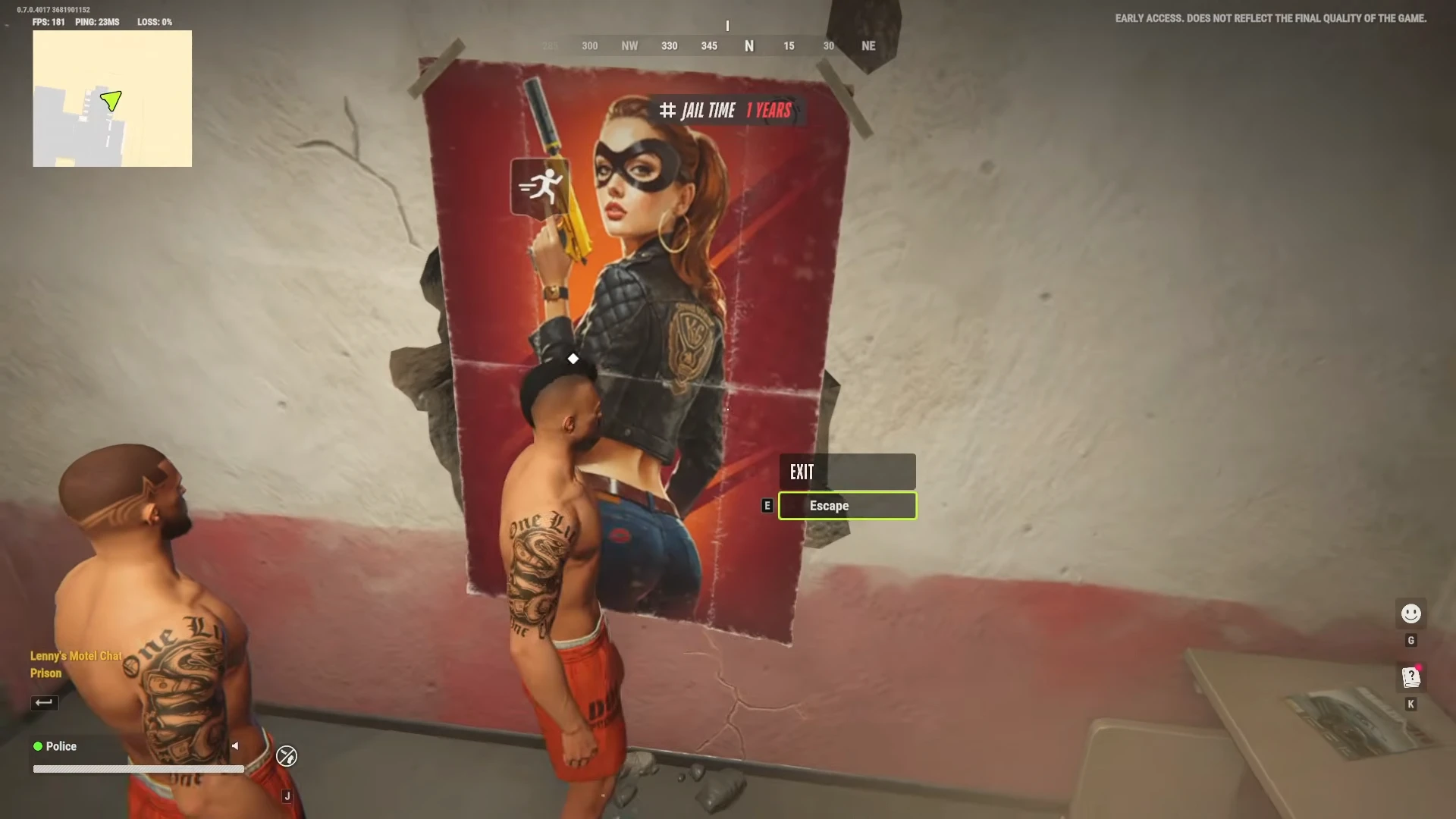
Inside prison, look for the exit marked Exit. Walk up to the sign until the interaction prompt appears, then use the key shown on your screen. In the recorded version, the prompt shows E and opens State Selection. Watch the exit at 0:40
3. Select your friend’s State
On State Selection, use the ID search or scan the ID column. Select the row that matches your friend’s number. Check the ID once more before choosing Confirm. The recorded run returns to the game at Lenny’s Motel. State Selection at 0:42 · Return to the game at 0:52
4. Verify the move and invite again
Open the world map again and compare the State ID against your friend’s. When both IDs match, send a fresh invite. Ask your friend to accept and confirm that you can see them in the party. Kefir’s invite instructions
If you see Change Region
Change Region shows geographical regions and latency. To play on a friend’s specific State, use the State Selection list and match the ID. The available regions and how often you can transfer should be checked in the current game. Region menu footage at 0:25